
Almost every day I meet new people on the server that has issues with their netcode settings, or ask for specific console commands to change things like fast switch.
So I made a plugin that can help people out in situations like this.
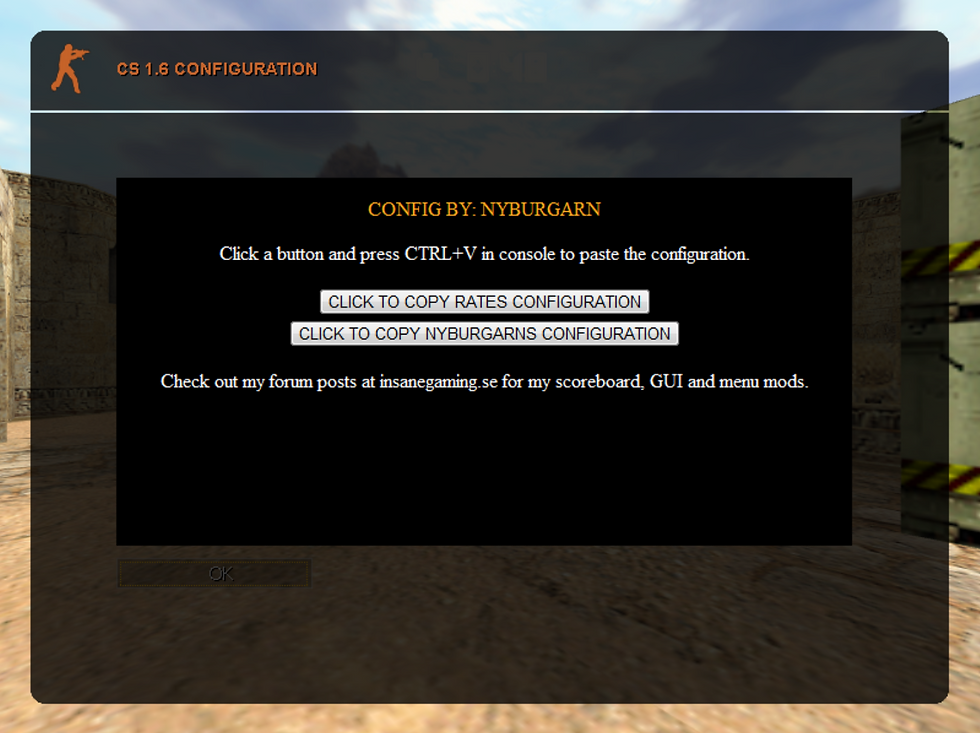
All you have to do is type /config in chat, this will open up a page with two buttons.
If you click the "rates" button, a string of commands will be copied to your clipboard.
So all you have to do is paste it with ctrl + v in console and all commands will be executed.
I also included some of my own configurations, that most people want to use anyways.
These settings are not available in the "options" menu.
It looks like this:
This string will be copied to clipboard when clicking the "rates" button:
rate 100000;cl_updaterate 101;cl_cmdrate 105;ex_interp 0;cl_nosmooth 1;graphheight 110;net_graphwidth 450;net_graphpos 2;alias +tabinfo "+showscores;net_graph 1";alias -tabinfo "-showscores;net_graph 0";bind "TAB" "+tabinfo"
This string will be copied to clipboard when clicking the "config" button:
cl_crosshair_size small;cl_bobcycle 1000;cl_bob 0.01;cl_bobup 0;_cl_autowepswitch 0;hud_fastswitch 1;cl_radartype 1;cl_minmodels 1;cl_min_ct 2;cl_min_t 1;fps_max 99,5;gl_vsync 0;gl_spriteblend 0;m_rawinput 1;brightness 3;gamma 3;setinfo "_vgui_menus" "0"
I think this would be a nice way to help new players, players that just had a fresh install and players who don't know much about configuring.
I have personally helped many players, it takes a lot of time to do it manually but they always thank me and tell me that they have a much better experience playing, improved aim and less lag.
So I suggest we add this plugin to the server, it will not affect the server CPU at all.
Prova /rate eller /rates Gortexx, vi har gjort iordning lite :)
I have tried the /config, but i doesnt seem to work. Have you disable´t it?
"In the last few CS updates they briefly changed this to maximum 100 but because everyone had 101 in their config, it defaulted to 30 and caused mass spam to steam support asking them why, so because of this they changed the max to 102,
You can set this to 101/102 if you want, it will make no difference, however you will have to set interp manually and will loose the ability of CS calculating interp for you."
The last part can't be right, as my interp is always automatically calculated, and I use 101.
I like that guide tho and I've been using it a lot, I usually have to lower my cl_updaterate to 90 on IG and raise my cl_cmdrate to 120 on gather to get a smooth looking net graph.
I thinking about posting a easy to understand version of this guide, that simply lets you know how to get the ideal netcode settings.
I read somewhere that cl_updaterate should be blank 100, or less, depending on the servers config. I myself configured it to 80 and experienced a lot less lagging and interference on our server. Though, would I be using these settings on GG for example, I had to put it back up to 100 and mess around a bit more.
It all depends on which server you are on, what computer you have, what screen, etc etc.
The best way to find out your correct settings is looking at "net_graph 1" in your console.
This website explains it perfectly. Ignore the "rate to 20000".
https://steamcommunity.com/sharedfiles/filedetails/?id=126383209