
Almost every day I meet new people on the server that has issues with their netcode settings, or ask for specific console commands to change things like fast switch.
So I made a plugin that can help people out in situations like this.
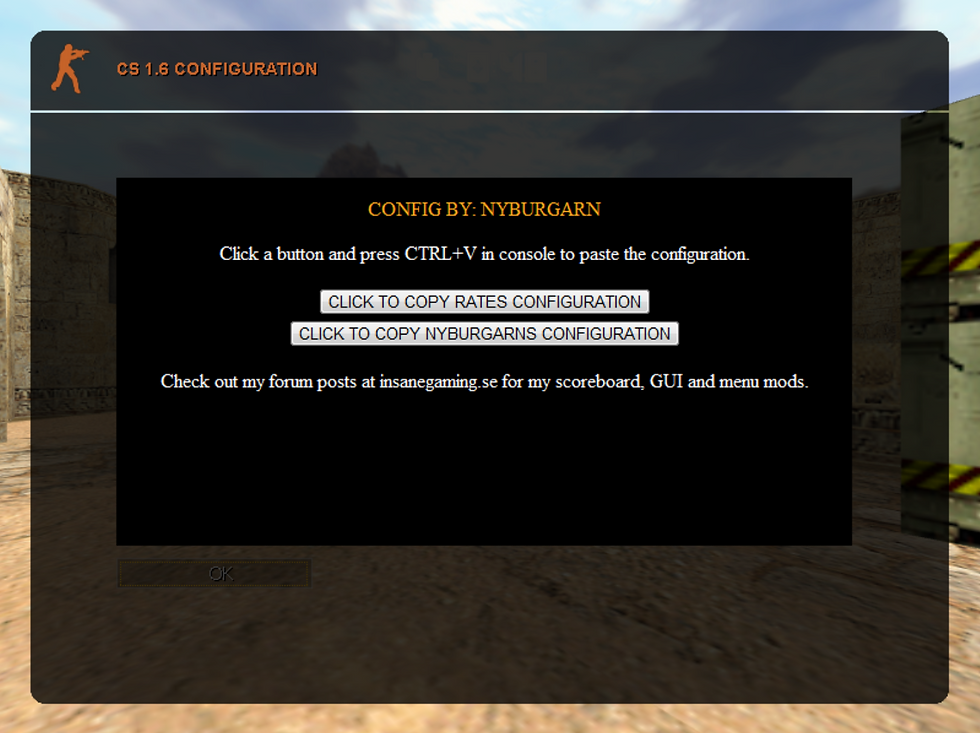
All you have to do is type /config in chat, this will open up a page with two buttons.
If you click the "rates" button, a string of commands will be copied to your clipboard.
So all you have to do is paste it with ctrl + v in console and all commands will be executed.
I also included some of my own configurations, that most people want to use anyways.
These settings are not available in the "options" menu.
It looks like this:
This string will be copied to clipboard when clicking the "rates" button:
rate 100000;cl_updaterate 101;cl_cmdrate 105;ex_interp 0;cl_nosmooth 1;graphheight 110;net_graphwidth 450;net_graphpos 2;alias +tabinfo "+showscores;net_graph 1";alias -tabinfo "-showscores;net_graph 0";bind "TAB" "+tabinfo"
This string will be copied to clipboard when clicking the "config" button:
cl_crosshair_size small;cl_bobcycle 1000;cl_bob 0.01;cl_bobup 0;_cl_autowepswitch 0;hud_fastswitch 1;cl_radartype 1;cl_minmodels 1;cl_min_ct 2;cl_min_t 1;fps_max 99,5;gl_vsync 0;gl_spriteblend 0;m_rawinput 1;brightness 3;gamma 3;setinfo "_vgui_menus" "0"
I think this would be a nice way to help new players, players that just had a fresh install and players who don't know much about configuring.
I have personally helped many players, it takes a lot of time to do it manually but they always thank me and tell me that they have a much better experience playing, improved aim and less lag.
So I suggest we add this plugin to the server, it will not affect the server CPU at all.
Prova /rate eller /rates Gortexx, vi har gjort iordning lite :)